
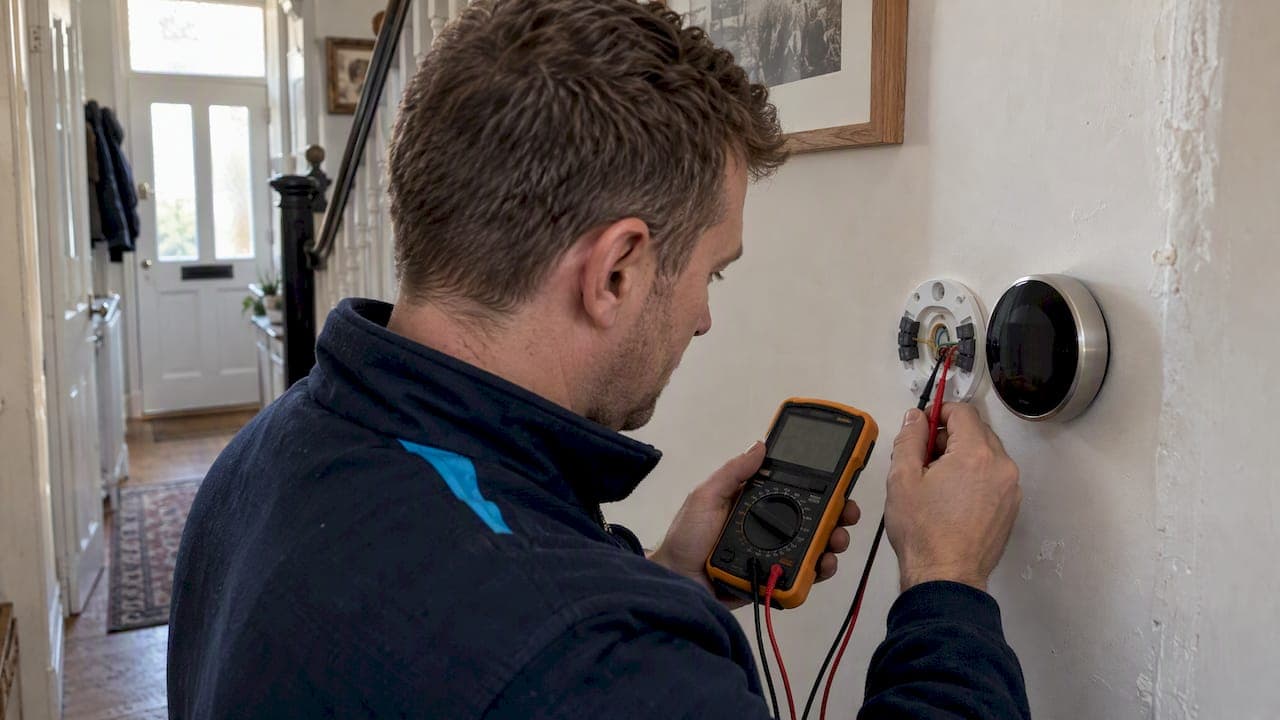
Yes, a Nest thermostat will control most 24VAC central air conditioners and compatible heat pumps, but not high-voltage or proprietary control systems without modification. The catches are wiring: cooling needs a Y1 connection, and stable power needs either a C wire or the Nest Power Connector. Run Google's compatibility checker before you buy, because it is the definitive test for your home.
TL;DR:
- Without a C wire, Nest may draw power through Y1 and lose power when a safety switch cuts the feed, triggering errors such as E10.
- Airwave cuts compressor runtime on dry days; Cool to Dry suits humid conditions but may overcool or raise energy use without a dehumidification mode.
- Dual fuel systems and zone controllers need professional installation; high voltage or millivolt systems require qualified electrical work, often involving relays or transformers.
- Use Google’s checker with terminal labels before buying; clear approval, a C wire, and straightforward wiring make it realistic to install the thermostat yourself.
Table of Contents
- How do Nest thermostats control air conditioning?
- What wiring and power does Nest need?
- Which Nest features change how your aircon runs?
- When will Nest need professional changes?
- How do you check compatibility and plan next steps?
- An installer's view on common fixes
- Our help with Nest and aircon installations
- FAQ
- Sources
How do Nest thermostats control air conditioning?
Nest is engineered for 24VAC heating and cooling control. Cooling is switched through the Y1 terminal, and Google's specifications say it must be used with 24VAC systems, while millivolt and high-voltage systems are incompatible. Google also notes that 230V mains-powered units are not supported directly. Those need a step-down transformer or relay.
In UK homes, that splits systems roughly like this:
- Usually 24VAC: central forced-air systems and many heat pumps with a separate wall thermostat.
- Often not 24VAC: split units controlled by their own infrared remote or a proprietary wall controller.
- Needs checking: any 230V mains-controlled unit, or a system with a manufacturer's zone controller.
Brand and unit type tell you very little here. Two units from the same manufacturer can use completely different control wiring, which is why guessing from the label on the box goes wrong. Our guide to types of air conditioning for UK homes explains which systems tend to sit where.
The reliable route is Google's official online compatibility checker. Google's own guidance treats it as the definitive way to confirm whether a specific installation will work. It asks about your existing wires and terminals, so have your current thermostat's wiring in front of you.
What wiring and power does Nest need?
A Nest draws power continuously, and it has two possible sources. The proper one is a common wire, or C wire. Google explains that without one, Nest can power itself from the Y1 wire. That works until the air conditioner stops sending power, for example when a safety device or low-pressure switch cuts the feed. The thermostat then loses power and shows an error. Google's troubleshooting page lists the affected codes, including E10, E30, E66 and E80. The lasting fix is a dedicated C wire or the Nest Power Connector.

The Nest Power Connector is the alternative to running a new cable. It works only with 24VAC systems, and Google warns that some third-party C-wire adaptors can cause problems, so stick with the official part.
Before you contact an installer for heating services, do this:
- Switch the system off at the isolator, then remove the old thermostat's faceplate.
- Photograph the wiring clearly before touching anything.
- Write down the label on each terminal and which wire sits in it.
- Note the make and model on the outdoor unit's nameplate.
- Check whether a spare, unused wire is tucked into the wall.
Pro Tip: If you find a spare wire, label it and photograph both ends. It may already be your C wire, and that can save a wiring job.
For a fuller explanation, see our post on checking the C wire first.
Which Nest features change how your aircon runs?
Two features directly alter compressor behaviour, and both are worth understanding before you switch them on.
- Airwave: Airwave cuts compressor runtime by switching to fan-only while still reaching your target temperature. It activates when interior humidity is low enough, so it helps most on dry days.
- Cool to Dry: Cool to Dry uses your air conditioner or heat pump to reduce humidity. If your unit has a dehumidification mode, it uses that more efficiently. Without one, it cycles the compressor more often and can overcool or raise energy use, so it suits very humid conditions only. Our post on how air con dehumidifies your home covers the mechanics.
- HVAC alerts: system-health alerts exist, but Google lists availability by region, mainly the US and parts of Canada. Check the Google Home app to see what your device supports.
Worth knowing: Airwave reduces compressor runtime by switching to fan-only once your home is cool enough, which can lower running costs on systems it supports.
When will Nest need professional changes?
Some systems are not a job for a screwdriver and a weekend.
- Dual-fuel systems: a heat pump paired with a separate furnace is complex. Google strongly advises professional installation because incorrect wiring risks damaging the thermostat or the HVAC control board.
- High-voltage and millivolt systems: these are incompatible with Nest as they stand. A step-down transformer or relay arrangement is needed, and that is electrical work for a qualified engineer.
- Zoned systems: where a zone controller sits between thermostat and unit, the wiring logic is rarely obvious from the wall.
- Unclear systems: if you cannot tell what you have, a site survey from an F-Gas/REFCOM certified installer settles it quickly.
Many UK residential systems use high-voltage or proprietary control signals, so this category is larger than most homeowners expect. A survey can help identify compatibility issues before installation.
How do you check compatibility and plan next steps?
Work through this in order:
- Run the online compatibility checker using your existing wiring details.
- Photograph your thermostat wiring and the outdoor unit nameplate.
- Confirm whether the wiring is 24VAC and note the labels on any control board.
- Gather the indoor and outdoor unit model numbers.
- If the checker says no, or you are unsure, book a survey.
For a survey, show the installer your wiring photos, any zone controller, and both model numbers. Ask the installer what the visit includes, such as a diagnostic, a recommendation, or wiring work. If the checker gives a clear yes and you have a C wire, fitting it yourself is realistic. Anything involving mains voltage, relays or zones belongs with a professional.
An installer's view on common fixes
As an air conditioning installer, I see the same few fixes again and again: running a C wire, adding a Nest Power Connector, or fitting a relay panel. These fixes may require a survey and follow-up installation work. If your system is unclear, ask for a free compatibility survey before you buy anything.
— James
Our help with Nest and aircon installations
We offer compatibility surveys and installation by REFCOM and F-Gas certified engineers, covering C wires, Power Connector fits and relay work. Ask us about survey availability and finance options, and our service and maintenance contracts keep the system running well afterwards.

To get started, see our domestic installation page to book a survey or request a callback.
FAQ
Is Nest being discontinued in the UK?
We have no confirmed announcement to point to, so check Google's own support pages for current availability in your region. European Nest models are engineered for different heating systems from North American ones, so make sure you buy the right variant.
Why isn't my Nest thermostat showing the AC option?
Usually the thermostat has not detected a cooling wire, most often Y1. Check the wiring against the compatibility checker, and look at the terminal connections. If the system uses high-voltage or proprietary control, no cooling option will appear.
Will Nest tell me if AC is not working?
Only where system-health alerts are available. Google lists HVAC monitoring by region, so check the Google Home app for what your device supports. Power-related error codes can still appear on the thermostat itself.
How do I get AC on my Nest thermostat?
Confirm your system is 24VAC with a Y1 cooling wire, then run the compatibility checker. If power is unstable, add a C wire or the Nest Power Connector. For unclear or complex systems, book a professional survey.